

 PowerEdge
Configure a Dell server
The Dell server configurator lets you choose from PowerEdge rack and tower systems. R640, R740 and R750 are possible starting points; the model, generation and drive bays determine the options that follow.
IT-RESELL · SERVER HARDWARE TO SUIT YOUR NEEDS
Build your server online: choose a base system, customise the CPU, RAM and drives, then request a tailored quote. With hardware from HPE, Dell and four other manufacturers.
Explore your options without obligation. No account needed.
Professionally refurbished hardware.
A dedicated contact for your configuration.
Confirm specifications and availability before buying.
01 / GET STARTED
Choose a manufacturer and form factor. The configurator will show the matching base systems.
This is a catalogue selection, not a stock indicator. We confirm availability and specifications in your quote.
ONE INTERFACE. SIX MANUFACTURERS.
Expand an existing infrastructure or plan a new system: choose your brand, then the specific model variant.
PowerEdgeThe Dell server configurator lets you choose from PowerEdge rack and tower systems. R640, R740 and R750 are possible starting points; the model, generation and drive bays determine the options that follow.
 ProLiant
HPE ProLiant offers several starting points: DL360 and DL380 rack systems or the ML350 tower. The HPE / HP server configurator includes DL380 Gen10, Gen10 Plus and Gen11 variants, among others.
 ThinkSystem
Plan your ThinkSystem using the listed SR and ST models. The exact generation, CPU platform and expansion options are key to choosing the right system.
 PRIMERGY
The Fujitsu server configurator takes you to PRIMERGY rack and tower systems. Start with an RX2530, RX2540 or TX2550, for example, then choose the hardware you need.
 Rack systems
With Supermicro, the installed motherboard matters as much as the chassis. Choose the specific base system: a CSE chassis designation alone does not determine the CPU platform or available connections.
 System x
Find selected IBM rack systems for existing System x environments. Before expanding, check the exact model generation and support for the software you use.
02 / HOW IT WORKS
A server configurator combines a base system with its listed hardware options. Keep track of your selection and the indicative total excluding VAT.
Select the manufacturer, model, generation and form factor. Consider CPU sockets, memory generation and drive bays at this stage.
Select CPUs and memory, then add controllers, drives and accessories. Quantities and technical details remain visible for each item.
Check the parts list and add your requirements. IT-RESELL reviews the configuration before preparing your tailored quote. A quote request is not an order.
Short product demo with a German interface and an example configuration. Prices shown are indicative only; the video length is not a promised configuration time.
Open the product video as an MP403 / UNDERSTAND THE HARDWARE
Start with the intended workload. More cores, more memory or more drives only help when the complete system suits your applications.
Configure a serverMany parallel tasks benefit from more cores. Other applications primarily need strong per-core performance. Do not choose on core count alone: consider the CPU generation, socket and application workload as well.
Before you choose: which applications run simultaneously, and how much headroom do you need?
Add up the memory requirements of your applications or virtual machines, then allow headroom for the host and future growth. A RAM kit specifies total capacity and module layout: 128 GB made up of 4 × 32 GB uses four slots. DDR4 and DDR5 are not interchangeable; the CPU and platform determine the memory type.
Before you choose: how many modules will you install, and which slots will remain free?
For SSDs and HDDs, the interface, form factor and access pattern matter as well as capacity. SAS, SATA and NVMe require suitable connections. Check the drive bays, backplane, controller and any required cabling together. Raw capacity differs from usable storage after allowing for redundancy.
Before you choose: how much usable storage do you need, and how demanding is the write workload?
RAID controllers and HBAs serve different purposes. First decide whether hardware RAID or software such as ZFS will provide redundancy. For ZFS and Ceph, Proxmox recommends direct drive access without hardware RAID. RAID does not replace a backup.
Before you choose: hardware RAID, ZFS or Ceph — and what is your backup plan?
Proxmox: official hardware requirements ↗Network cards, PCIe slots and power supplies must fit the rest of your infrastructure. For rack systems, also consider rails and installation depth. Two power supplies alone do not provide independent power paths; plan the rack power distribution too.
Before you choose: which switch ports, expansion slots and power circuits are available?
START WITH YOUR APPLICATIONS
Use these pointers as a starting point. They do not replace sizing based on your actual workload and software requirements.
For Proxmox, Hyper-V or VMware, plan CPU resources, guest memory and fast storage access together. Clusters also require suitable networking and spare capacity for failures.
VM count · Memory requirements · Storage design
Servers for virtualisation ↗Consider data volume, concurrent access and response times. Per-core CPU performance, sufficient memory and drive latency may matter more than the highest possible core count.
Response time · Working set · Write workload
Plan usable capacity, growth and backup windows. Drive and network speeds need to match your data volumes. A separate backup strategy remains essential.
Usable capacity · Networking · Recovery
04 / FIND THE RIGHT FIT
Choose the form factor to suit the location and expansion needs. Form factor alone does not determine computing power or noise levels.
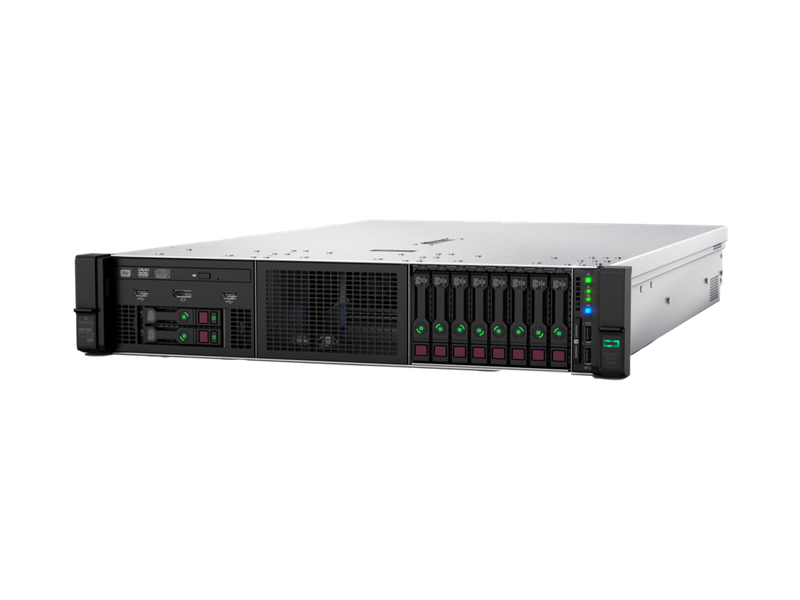
Example system · HPE ProLiant DL380 Gen10
For an existing 19-inch rack and centrally managed infrastructure. Allow for rack units, installation depth, airflow and suitable rails. Drive bays and expansion slots vary by model.
Build a rack server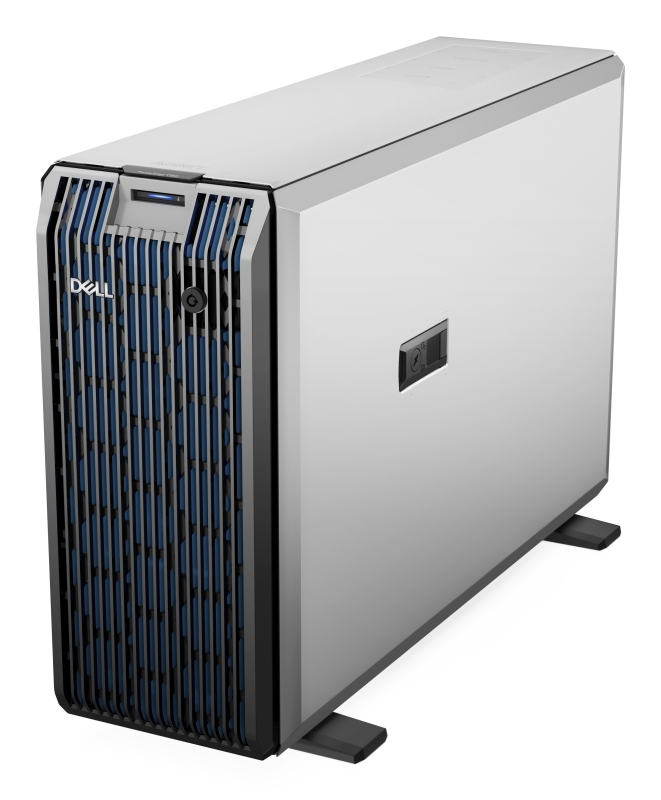
Example system · Dell PowerEdge T350
A tower server may suit locations without a server cabinet. Check the footprint, cooling and documented noise levels of the specific model. A tower is not automatically a silent server.
Build a tower serverMAKE AN INFORMED PURCHASE
Refurbished servers extend the useful life of enterprise hardware. New hardware can be the right choice when you need a particular current platform or specific expansion options. Compare the actual specifications, rather than just the age of a system.
IT-RESELL professionally refurbishes used hardware and helps you choose the right equipment. Your tailored quote sets out the items supplied and the terms.
More about buying servers from IT-RESELLPLAN WITH TRANSPARENCY
The price depends on the base system, processors, RAM, drives and other accessories. Generation and condition also influence the configuration. The configurator displays non-binding reference prices excluding VAT, plus 19% VAT. The binding price and availability are confirmed in your quote.
Your advantage: the parts list clearly shows which components you have chosen. You can change or remove individual items before requesting a quote.
Start with the manufacturer and base system. Then choose CPUs, RAM, controllers, drives and any accessories you need. Review the summary and submit a non-binding enquiry. You can also save your configuration as a file and load it again later.
You will find HPE / HP, Dell, Lenovo, Fujitsu, IBM and Supermicro. The available form factors, generations and components depend on the base system. Being listed in the catalogue does not guarantee current stock availability.
The IT-RESELL configurator groups the relevant ProLiant systems under HPE / HP. The exact model and generation determine component selection — for example, DL380 Gen10, Gen10 Plus or Gen11.
Yes. Open the Dell section and choose an available PowerEdge model variant. You can then select the CPUs, RAM kits, drives and expansion options listed for that base system. The technical configuration is reviewed before a quote is issued.
The configurator shows the options assigned to the base system and flags recorded selection and installation limits. These checks do not cover every technical dependency. IT-RESELL checks the specific configuration, including the backplane, cabling and component layout, before preparing a quote.
This configurator covers hardware. Operating systems, software licences, installation and additional service packages are not selectable items. Tell us which software you plan to use in your enquiry so that its hardware requirements can be considered.
Unit prices and the reference total in the configurator exclude VAT; 19% VAT is added. These are non-binding reference prices. The confirmed price, availability and scope of supply in the quote apply.
No. Your enquiry communicates your selection and requirements. IT-RESELL reviews the information and prepares a tailored quote. Review that quote before deciding whether to buy.
Yes, provided the catalogue contains tower base systems for your chosen manufacturer. The entry page applies the form-factor filter. Also check the location, dimensions, noise levels and cooling requirements of the specific system.
In principle, yes, for testing or simple tasks. For business use, separately assess availability, remote management, expandability, memory protection and continuous-operation requirements. The specific device's hardware and supported uses are what matter.
Your configuration and additional requirements form the basis of our review. IT-RESELL checks specifications and availability, then responds with a quote or follow-up questions. A delivery date is agreed based on the specific configuration.
YOUR NEXT STEP
Already know the hardware you want? Get started now. Need to discuss sizing? We are here to help.
Your configuration. Your tailored quote. No obligation.