

 MSA · Nimble · Apollo
Configure HPE / HP storage
Explore MSA 2060, Nimble AF40 and Apollo 4510. Choose the right platform, then select the drives and expansions listed for that specific system.
IT-RESELL · STORAGE TO SUIT YOU
Build your storage configuration online: choose a system, add drives and accessories, and request a tailored quote. With HPE, Dell, IBM, Lenovo, NetApp, Fujitsu and Supermicro.
Plan without obligation. No account required.
Identify new and refurbished hardware on each item.
A dedicated contact for your storage planning.
Confirm equipment and availability before buying.
01 / GET STARTED
Choose a manufacturer and a recommended series, or explore the full range for your brand.
The count includes systems, expansion enclosures and individual items. Availability and included equipment will be confirmed in your quote.
ONE INTERFACE. SEVEN MANUFACTURERS.
Whether you are expanding an existing environment or building a new storage system, start with your brand and choose the specific model variant.
MSA · Nimble · ApolloExplore MSA 2060, Nimble AF40 and Apollo 4510. Choose the right platform, then select the drives and expansions listed for that specific system.
 PowerVault · Unity
Start with PowerVault ME5 or selected Unity models. Find the available variants in the configurator and compare equipment and connectivity options.
 FlashSystem
FlashSystem 5300, 7200 and 7300 are among the recommended starting points. Other IBM series and expansions are available for existing environments.
 ThinkSystem
Choose, for example, ThinkSystem DE4000F, DS6200 or DS4200. Additional shelves such as the DE240S are also in the catalogue. We will check their suitability for your existing system with you.
Start with the E2800 series or look for an expansion enclosure. The exact model and your existing controllers form the basis of the configuration.
 ETERNUS
ETERNUS DX200 is a starting point for the Fujitsu range. Compare available variants and, when expanding, specify the generation and equipment of your existing environment.
 SuperStorage · NAS
Plan with SuperStorage CSE-946 or CSE-216 NAS. Depending on the base system, storage servers may also offer CPU and memory options. The specific platform equipment determines what is available.
02 / HOW IT WORKS
The storage configurator takes you from the base system to the parts list, keeping quantities, item condition and available reference prices in view.
Select a manufacturer, series and model. Choose a storage array, storage server or suitable expansion enclosure.
Add the listed drives, controllers and accessories. Depending on the model, storage servers also offer processors and memory.
Check the parts list and capacity plan, add your requirements and submit the configuration for a tailored quote. A quote request is not an order.
Product demo with an HPE MSA configuration: select a system, controllers, SSDs and accessories, plan capacity and request a quote. Prices and capacities shown are non-binding examples.
The recording shows the German interface. English subtitles and a text version are available.
Open the explainer video as an MP403 / UNDERSTANDING STORAGE
Start with data volumes, access requirements and existing infrastructure. These determine which platform and equipment to explore in the configurator.
Configure storageA storage array, NAS server and expansion enclosure serve different purposes. For an expansion, we need the exact model and equipment of your existing system.
Check first: build a new system or expand existing storage?
Gather your required usable capacity and expected growth. The configurator helps plan capacity using the selected drives and RAID settings. The calculation provides a guide for your quote.
Check first: how much usable capacity and spare capacity do you need?
Compare listed HDDs and SSDs by capacity, interface, form factor and condition. Form factor alone does not establish compatibility. Part numbers, controllers and system approval also need checking.
Check first: which drives, trays and quantities are planned?
Record how the storage should connect to your servers. Include existing adapters, switches and ports, along with any required cables or transceivers, in your enquiry. Accessories are not automatically included.
Check first: which connections and cabling are available?
Allow for rack space, power supplies and future expansion. Also describe your backup and recovery requirements so hardware selection and operation can be planned together.
Check first: how will the system be installed, expanded and recovered when needed?
START WITH THE USE CASE
Your requirements set the direction. These three starting points help prepare your enquiry and the final system design.
Specify the number of hosts, planned applications, and response time and availability requirements. Include your existing infrastructure in the plan.
Hosts · Access patterns · Availability
Describe data volumes, user numbers and expected growth. For a storage server, you can consider the CPUs and memory options offered for the model alongside the drives.
Usable capacity · Users · Expandability
Plan retention periods, data growth and the available backup window. For an additional shelf, the model and equipment of the existing system are key.
Data volumes · Backup window · Existing system
04 / THE RIGHT FOUNDATION
Choose the product type to suit your project. Photos show example systems; equipment and included items depend on your specific selection.
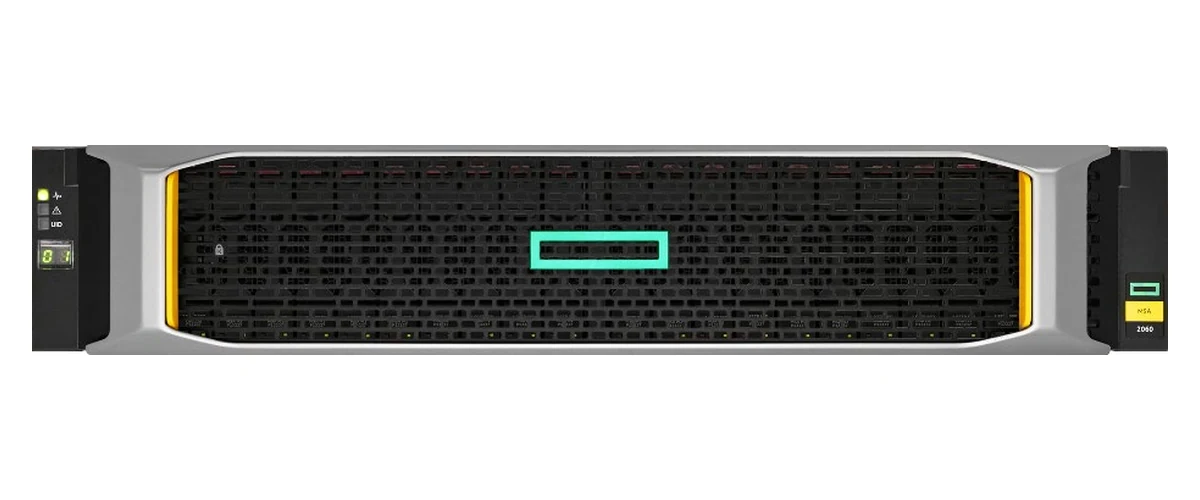
Example system · HPE MSA 2060
For a new storage environment, select a specific array and its listed options. The HPE MSA 2060 is one starting point. We will match connections, drives and expansion needs to your requirements.
View HPE MSA 2060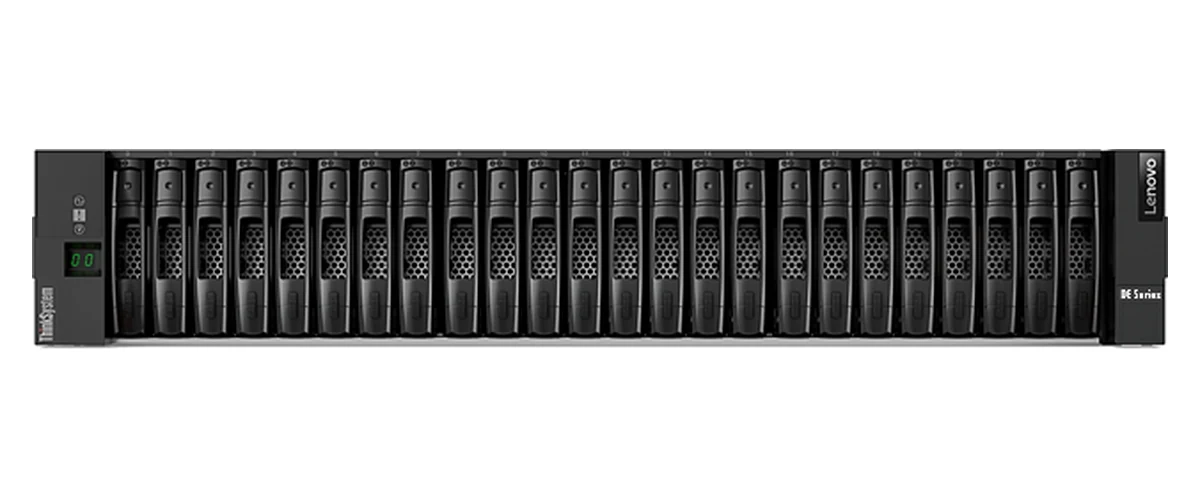
Example system · Lenovo ThinkSystem DE240S · Photo: Lenovo Press
A shelf adds drive bays to a suitable existing environment. The Lenovo ThinkSystem DE240S is one example from the catalogue. Tell us about your existing system so we can check compatibility.
View Lenovo DE240SMAKE INFORMED PURCHASES
A storage system can combine refurbished hardware with new components. The condition of each item matters: new drives are labelled directly on the item in the configurator.
Your quote specifies the hardware you will receive. The parts list helps us review equipment, quantities and outstanding requirements with you.
Explore storage optionsPLAN WITH CLEAR PRICES
The configurator calculates available reference prices based on your selection and quantities. Prices are shown excluding VAT, plus 19% VAT. Where a reliable price is unavailable, it shows ‘On request’ — including for drives, memory and accessories.
If your selection includes an item priced on request, the total is also on request. Binding prices, availability and included equipment are confirmed in your tailored quote.
Choose a manufacturer, series and specific model variant. Add the listed components and quantities, then review your parts list. For preconfigured items, the existing equipment is the starting point.
The catalogue includes HPE / HP, Dell, IBM, Lenovo, NetApp, Fujitsu and Supermicro. Product types and options vary by manufacturer and model. Catalogue listings do not guarantee stock availability.
Yes. The catalogue includes storage servers from HPE / HP and Supermicro, among others. Depending on the base system, processors and memory may be available alongside drives and accessories. The options listed for each model determine the selection.
No reliable reference price is available for that item. A zero source price for chargeable hardware is treated as ‘On request’. If any selected item is on request, no complete total price is shown. Parts explicitly included remain marked as included.
Unit prices and reference totals are shown excluding VAT, plus 19% VAT. Prices are non-binding; confirmed prices and availability are provided in your tailored quote.
Items recorded as new have a ‘New’ label directly next to the title. The condition applies to that particular item. A new drive does not make the entire storage system new.
It shows options assigned to the model and applies recorded selection and quantity rules. The final configuration, including system approvals, controllers and cabling, is checked when preparing your quote.
For supported configurations, you can add a RAID plan. The configurator displays the calculated capacity as a planning estimate. Actual usable capacity depends on the final equipment and setup.
Yes. You can save the configuration, load it later and export a parts list. The enquiry form lets you add further requirements and relevant attachments.
No. You first send your selection and requirements. IT-RESELL checks the equipment and availability, prepares a tailored quote and clarifies any outstanding points with you.
THE NEXT STEP
Know your preferred platform? Start now. Want to discuss the system design? We are here to help.
Your configuration. Your tailored quote. No obligation.